
11 KiB
💼 Hoteles Estelar Variable Remuneration System - Standup Showcase Guide
This guide organizes the current capabilities of the Variable Remuneration, Compensation, and Commissions System for Hoteles Estelar. Use it to present the implemented features, map them to the corresponding User Stories (US), and run a live demo or automated verification tests.
1. System Overview & Architecture
The system is built on an enterprise-grade stack designed to replace manual Excel workflows with a secure, auditable, and automated platform.
graph TD
    User([User Browser]) -->|Next.js App Router| App[Next.js API & UI Server]
    App -->|Prisma Client with Context| DB[(PostgreSQL Database)]
    DB -->|PostgreSQL RLS Policies| DB
    App -->|Secure Webhooks x-n8n-signature| n8n[n8n Workflow Engine]
    n8n -->|LLM Anomaly Checks & Translation| n8n
    n8n -->|SMTP Client| Mail[Stalwart SMTP Server]
Key Technical Pillars
- Next.js & Vanilla CSS Modules: Clean, responsive, and component-isolated styling.
- Database-Level Isolation (RLS): Context propagated from Next.js sessions to PostgreSQL enforces data segregation at the query level.
- Audit Immutability: All write operations write to an
AuditLogtable using an insert-only policy. Password hashes and salary values are redacted automatically. - Thin Coordinator n8n Engine: Integrations and batch calculations run asynchronously in n8n, keeping database connections locked in Next.js and invoking LLM failovers (DeepSeek to Gemini) for semantic anomaly audits.
- Two-Tier Idempotency: Excel file imports are checked against client-side transaction keys at the API layer and protected via unique constraints in the DB layer.
2. Completed Features & User Stories Mapping
| Feature Group | User Story (US) ID | Title / Requirement | Current Implementation Status & Verification |
|---|---|---|---|
| Security & Isolation | US-COM-014 | Manage Roles and Permissions | Completed. PostgreSQL RLS dynamically filters data based on JWT session context. Bypassed only for admin role. Verified in test-rls.js. |
| US-COM-011 | Record Traceability & Auditing | Completed. Immutable, INSERT-ONLY audit logging in database with automated logging middleware and password/salary redaction. |
|
| Compensation Config | US-COM-001 | Create Compensation Plan | Completed. UI at /plans allows creating, duplicating, and inactivating plans. Enforces temporal versioning for active plans. |
| US-COM-002 | Configure Calculation Rules | Completed. UI allows setting Percentage, Tiers, Scales, and Cap parameters for calculations. | |
| US-COM-003 | Configure Commercial Goals | Completed. UI at /goals configures quotas per period (individual/team/hotel levels). |
|
| Integrations & Imports | US-COM-004 | Import Results from Excel | Completed. UI at /sales/import handles XLSX/CSV, checks column formatting, renders localized error reports, and prevents duplicate uploads. |
| US-COM-005 | Integration with CRM/PMS | Completed. Asynchronous processing via n8n workflow callback (/api/sales/batch-save) with signature verification (x-n8n-signature). |
|
| Settlement Engine | US-COM-006 | Calculate Commissions | Completed. Core engine processes settlements, applying tiers, rules, caps, and retroactive adjustments/PMS clawback calculations. |
| US-COM-007 | Simulate Settlement | Completed. UI dashboard at /sales/simulation offers dry-run reviews before committing data to the database. |
|
| Approvals Flow | US-COM-008 | Approve/Reject Settlements | Completed. UI panel at /settlements/approvals restricts access based on regional leader roles. Rejection requires written comments. |
| US-COM-009 | Notify Results | Completed. Webhook callbacks in n8n dispatch notification alerts to stakeholders. | |
| Bilingual UI & LLM | US-COM-015 | Internationalization & Translation | Completed. Client-side locale toggles EN/ES. DB stores bilingual JSON structures for AI audit notes, generated via LangChain nodes. |
3. Demo Accounts & Credentials
Use these pre-seeded accounts to demonstrate role-based permissions and regional isolation during the standup:
| Username | Password | Role | Hotel Context | Region Context | Area Context |
|---|---|---|---|---|---|
admin |
password123 |
Administrator | Estelar Parque 93 | BOG | Sistemas |
analista |
password123 |
Financial Analyst | Estelar Parque 93 | BOG | Finanzas |
lider_ctg |
password123 |
Commercial Leader | Estelar Cartagena | CAR | Ventas |
gerente_mde |
password123 |
Hotel Manager | Estelar Medellin | ANT | Administracion |
colaborador_mde |
password123 |
Collaborator | Estelar Medellin | ANT | Ventas |
4. Step-by-Step Live Demo Walkthrough
Follow this sequence to present a comprehensive, orderly showcase of the program:
Step 1: Secure Authentication & Role Isolation
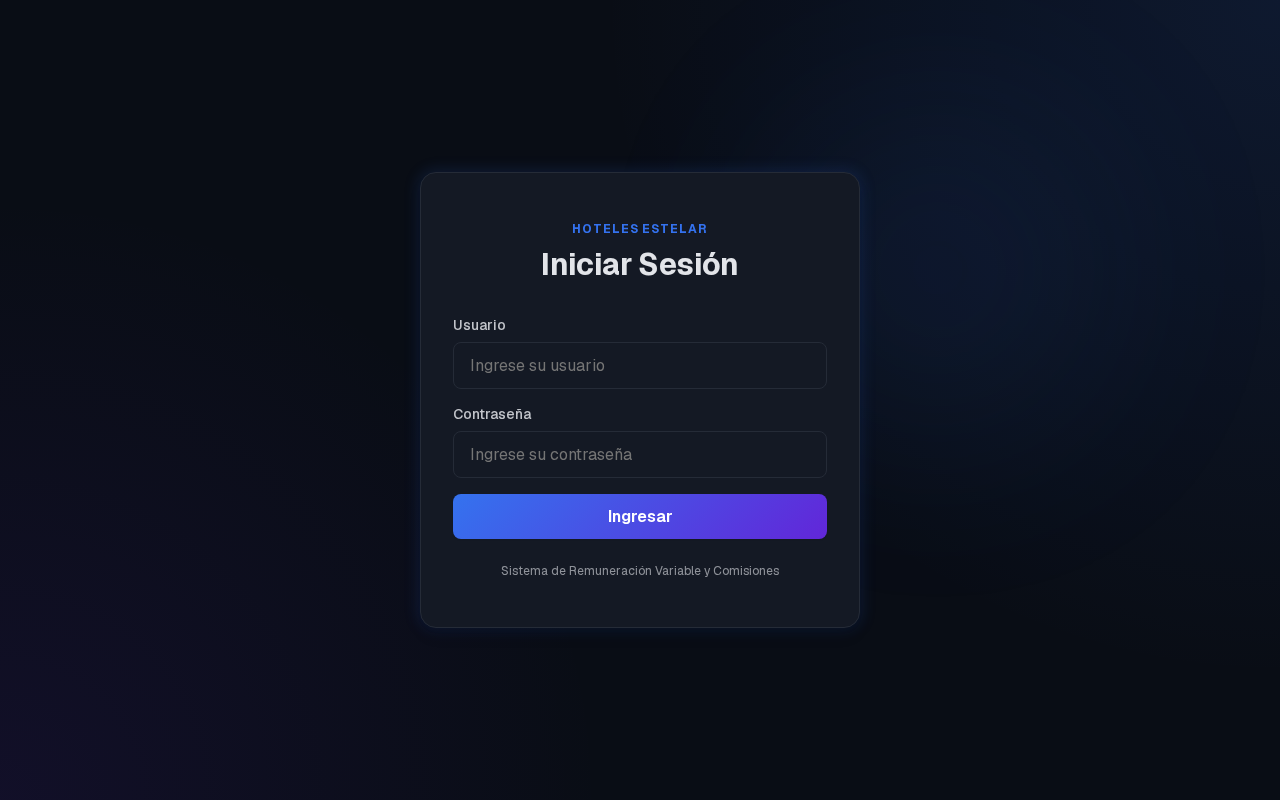
- Navigate to
/login. - Log in as
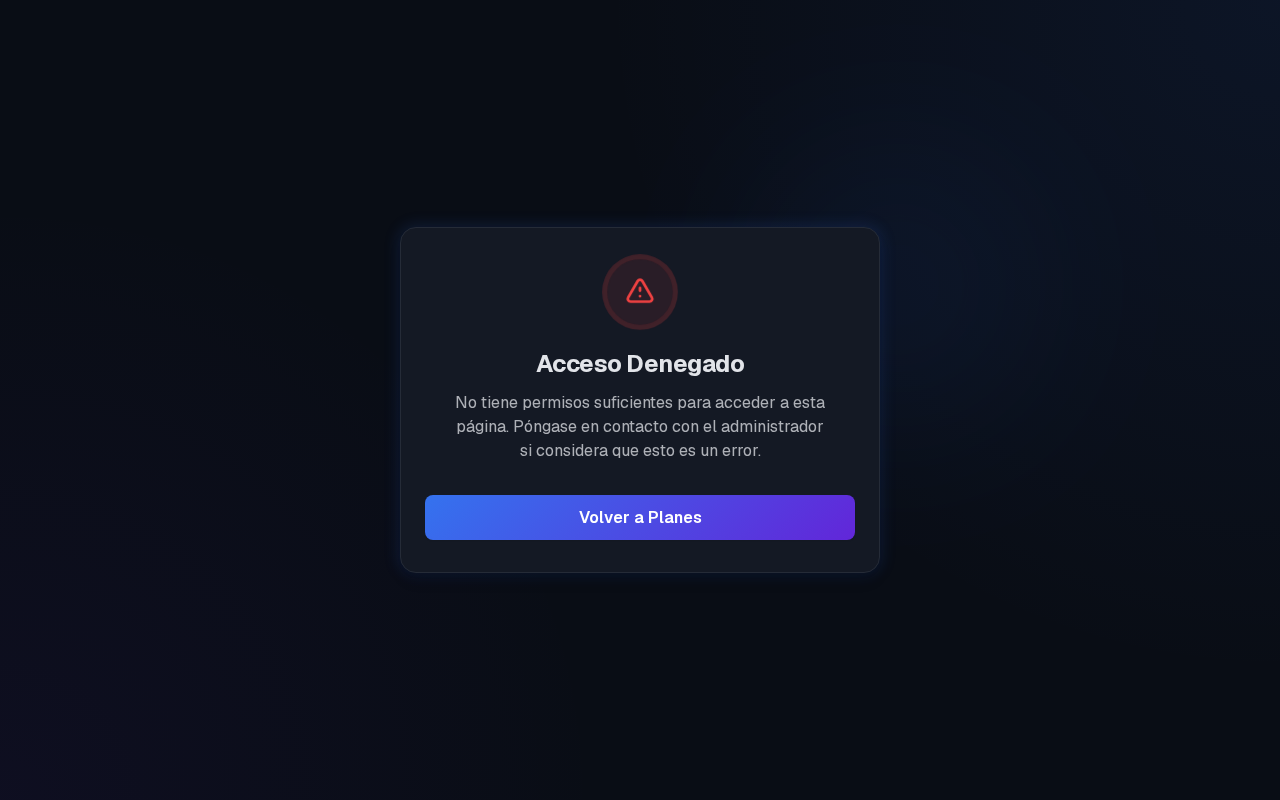
colaborador_mde. - Try to navigate to
/plansor/sales/import. The UI blocks access, showing an unauthorized banner. - Log out, and log in as
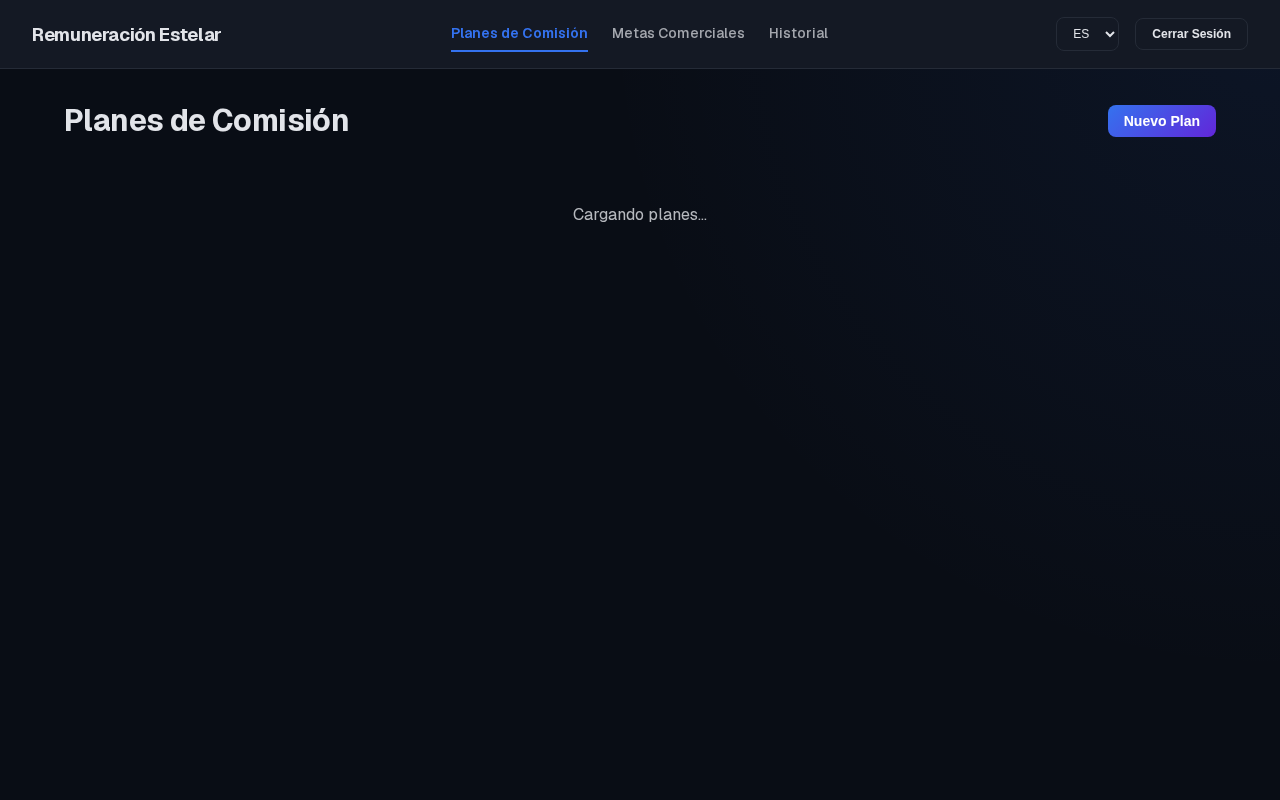
admin. Access is fully restored.
- Login Screen
- Unauthorized User View
- Admin Dashboard Loaded
Note
Behind the scenes, the Next.js API establishes a transaction context inside PostgreSQL, enforcing Row-Level Security (RLS). Even if a malicious client manually changes the request params, PostgreSQL blocks unauthorized data access.
Step 2: Compensation Plan Config & Version Control
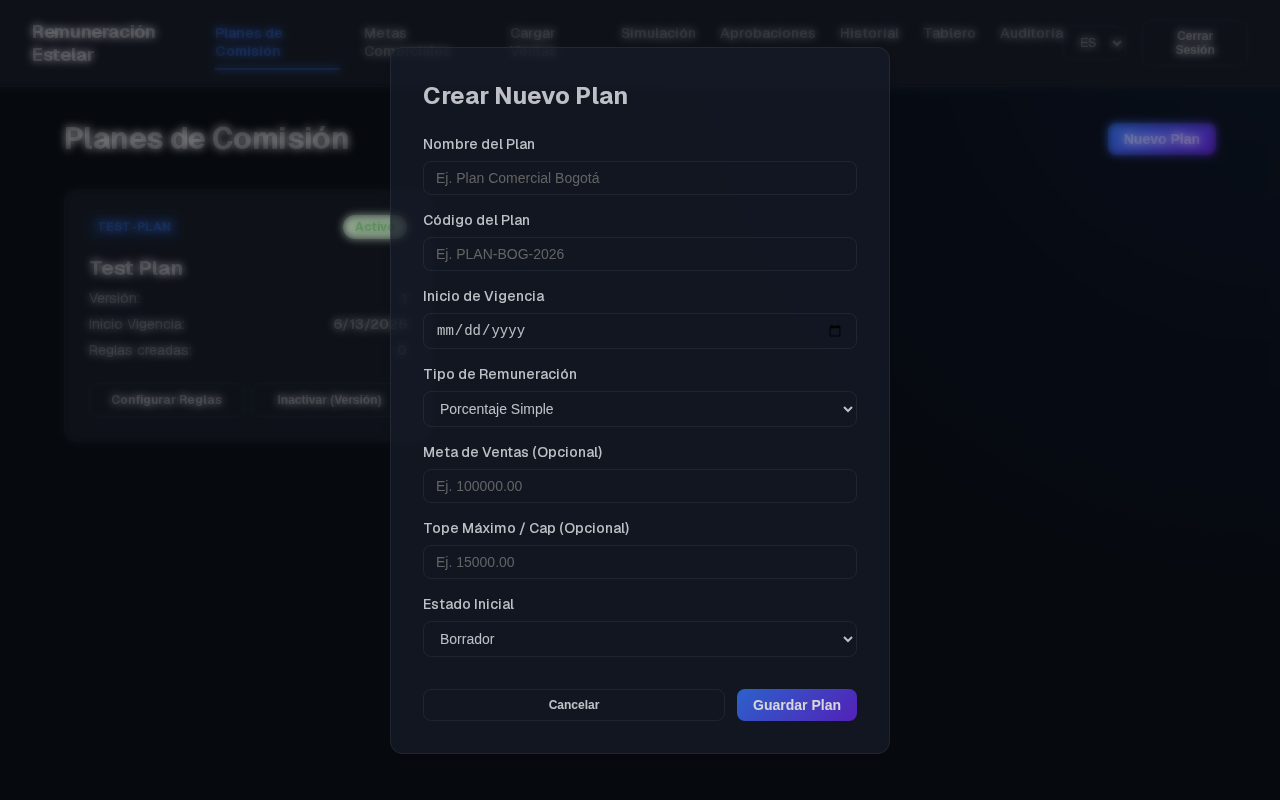
- As
admin, navigate to/plans. Click Crear Plan. - Complete the required parameters (Name, Code, Validity Start Date, Plan Type).
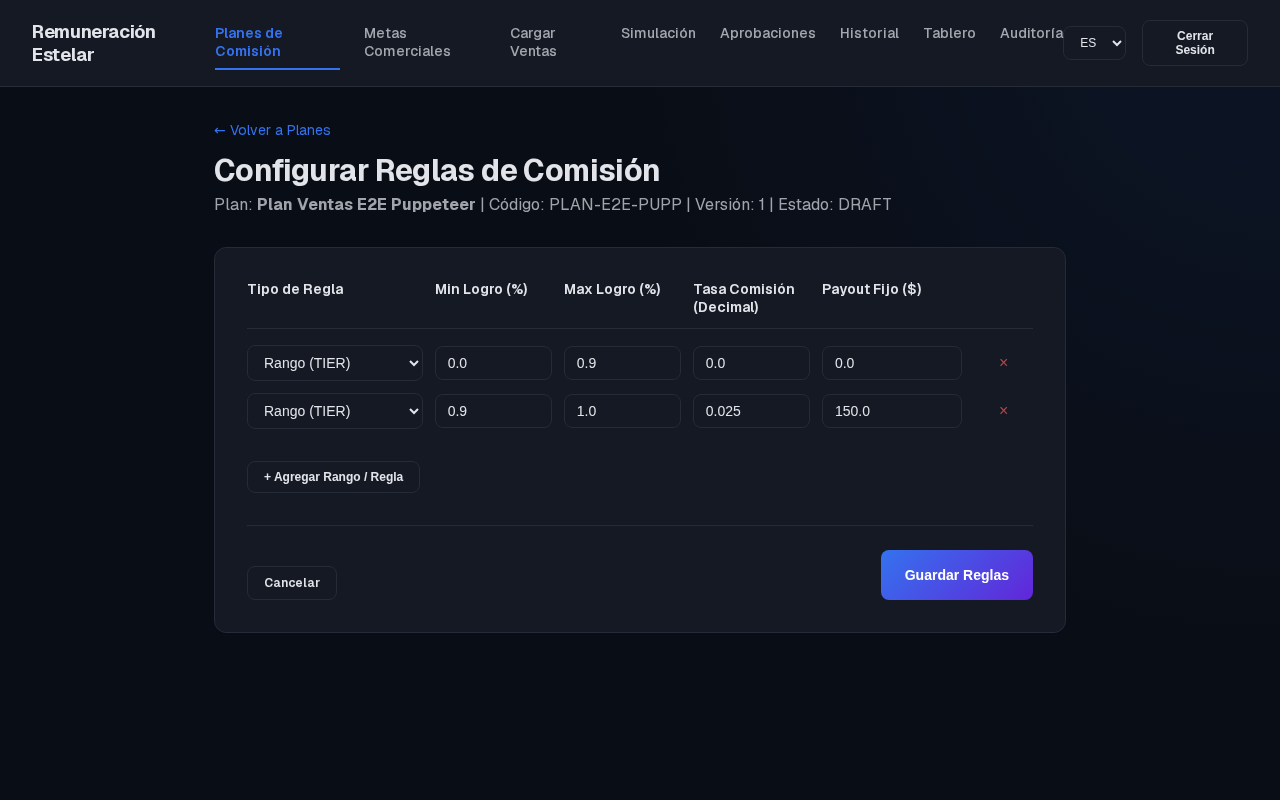
- Set calculation rules (e.g., Tiers and Scales) on the configuration sub-view and click Guardar Reglas.
- Go back to
/plans. Activate the plan by clicking Activar. - Edit the active plan. Observe that the system automatically handles Temporal Versioning:
- The original record is marked
INACTIVEwithvalidity_end = NOW(). - A new duplicate record is saved with
version = 2andstatus = ACTIVE.
- The original record is marked
- Navigate to
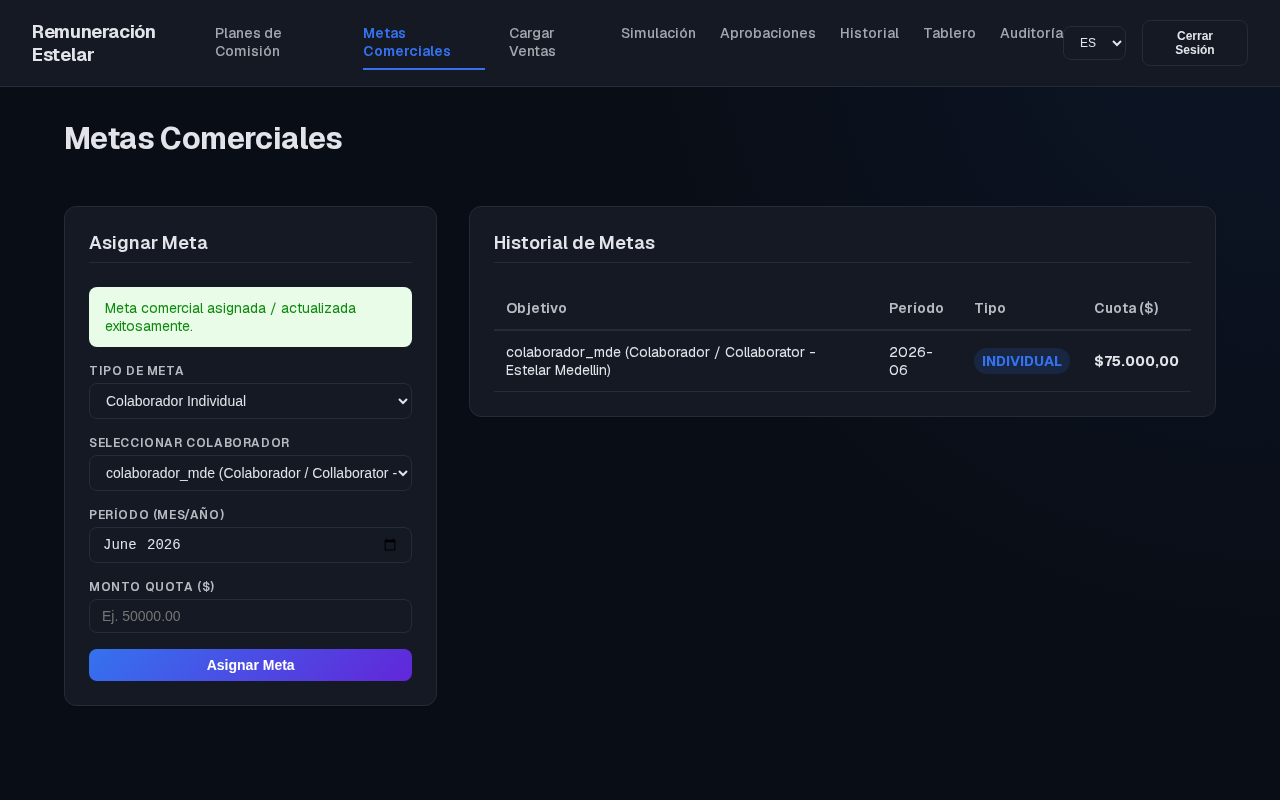
/goalsand assign a commercial goal of$75,000.00for collaboratorcolaborador_mdein period2026-06.
- Create Compensation Plan Modal
- Rules Configuration & Setup
- Plan Versioning Activation
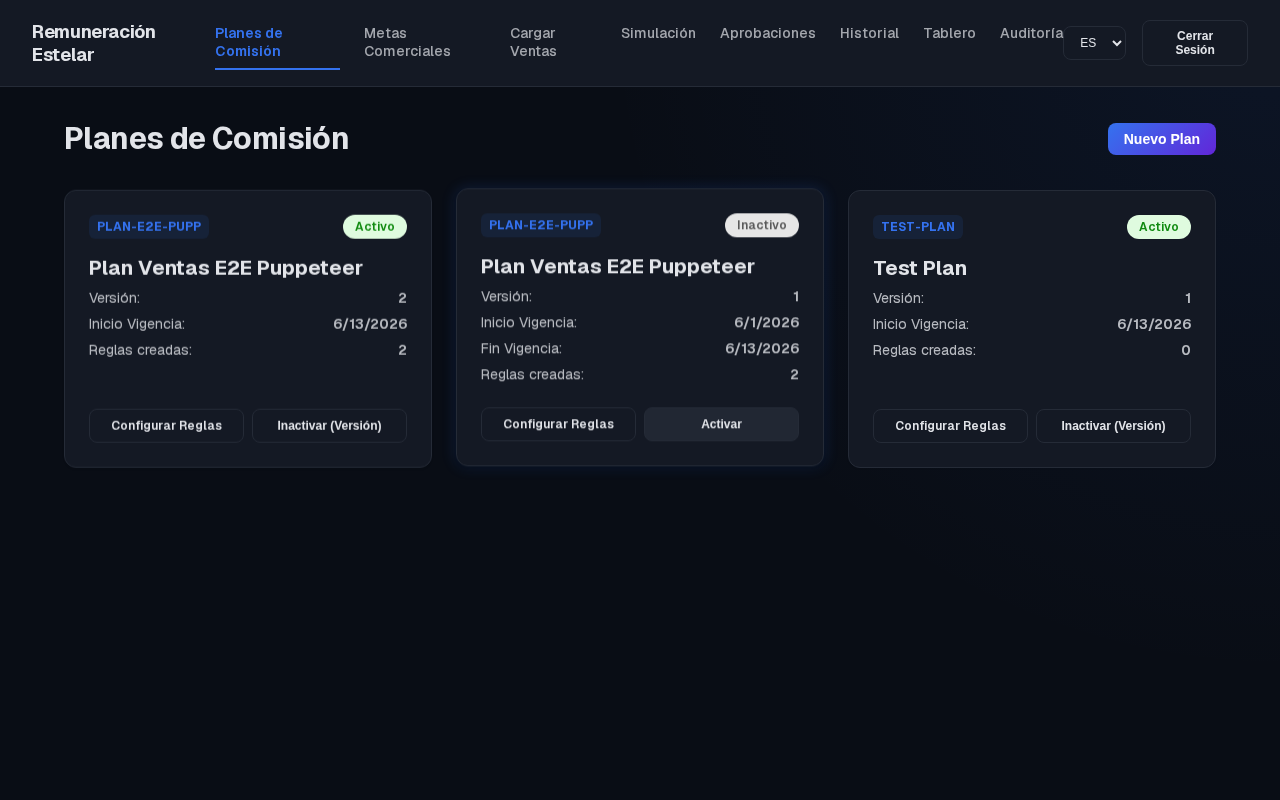
- Goals Configured Successfully
Step 3: Excel Sales Data Import & Idempotency
- Navigate to
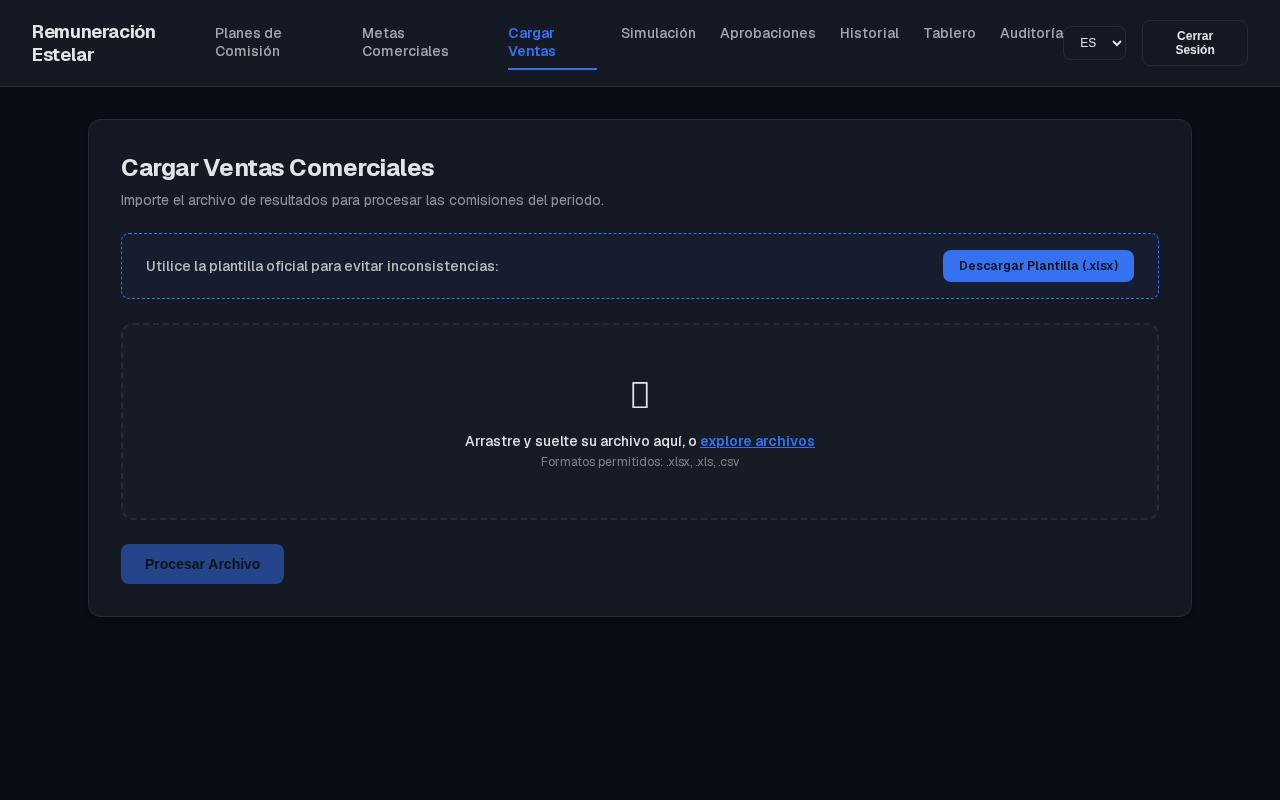
/sales/import. - Notice the pre-configured Excel Template Download Button matching Estelar's expected input columns.
- Select and upload a corrupted Excel file (containing negative sales, missing headers, or fake users).
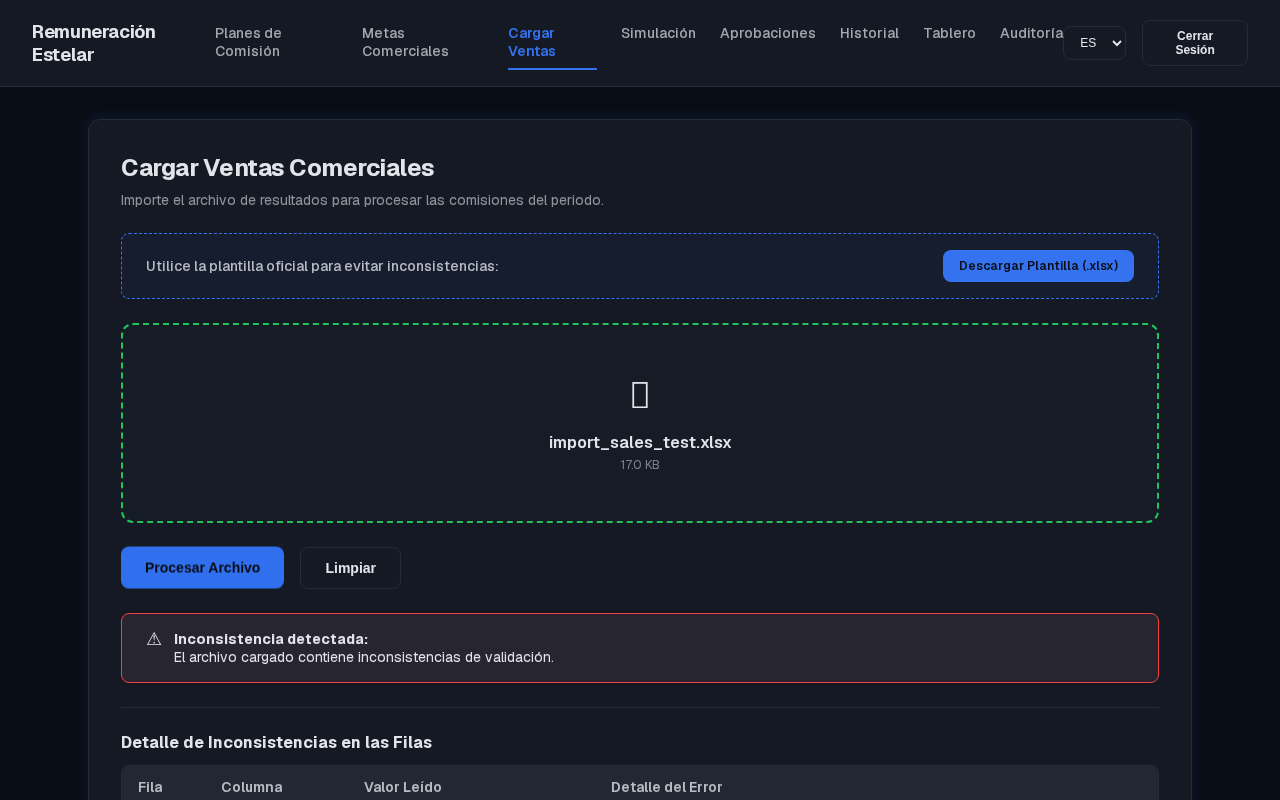
- Review the Inconsistency Validation Log rendered on the screen. The errors are translated on the client using the Code + Metadata JSON payload sent by the server.
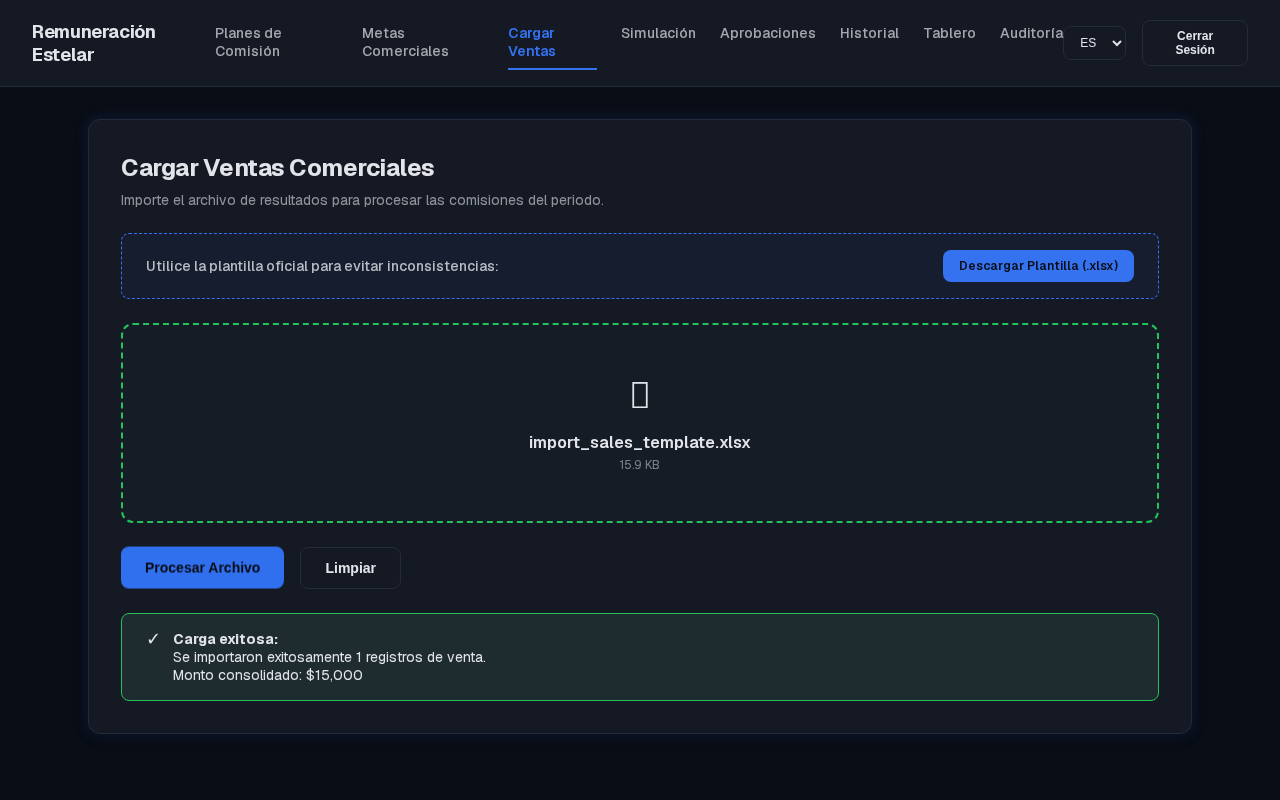
- Upload the valid sheet. The progress bar completes, and a success banner confirms the imported row count.
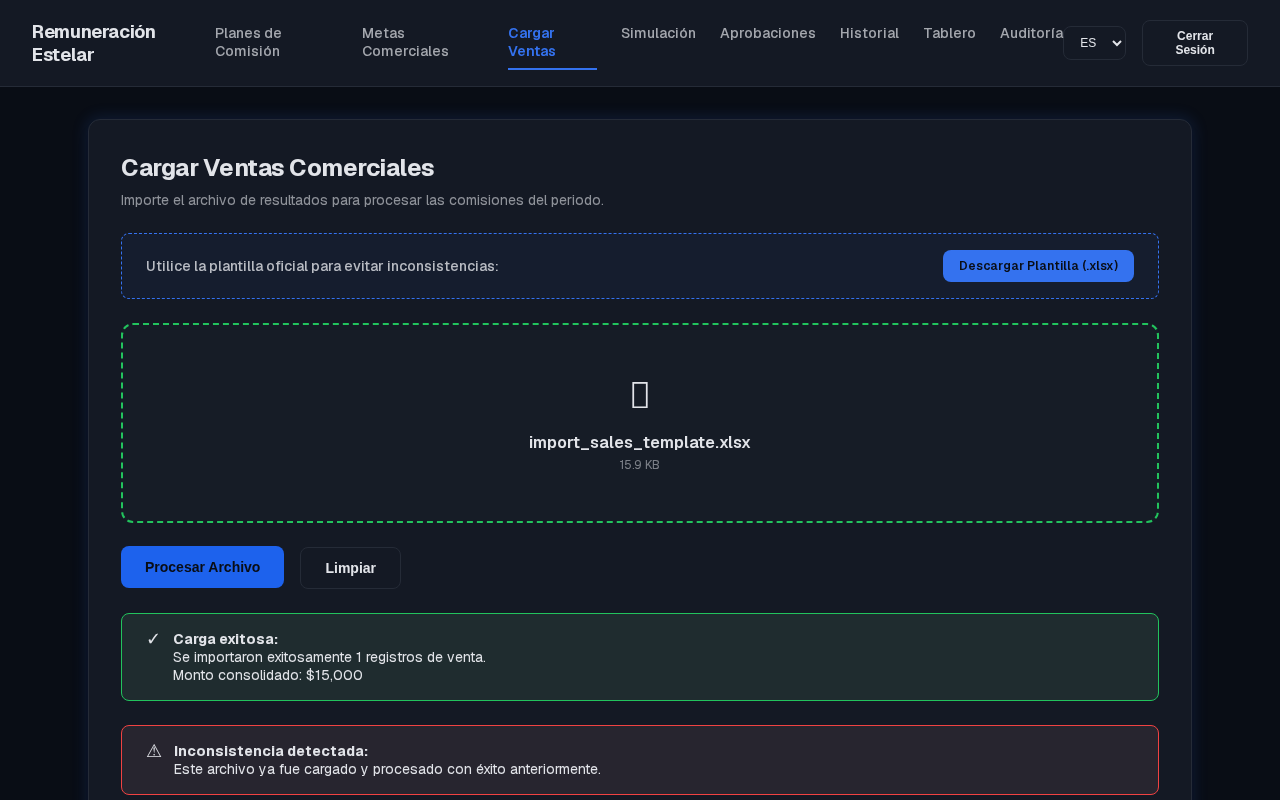
- Attempt to upload the exact same file. The system checks the
Idempotency-Keyand immediately returns the cached success response without writing redundant entries to the database.
- Sales Import Interface
- Excel Field Validation Errors Report
- Successful Direct Upload
- Idempotency Prevention Block
Step 4: Settlement Calculations, Simulations & Clawbacks
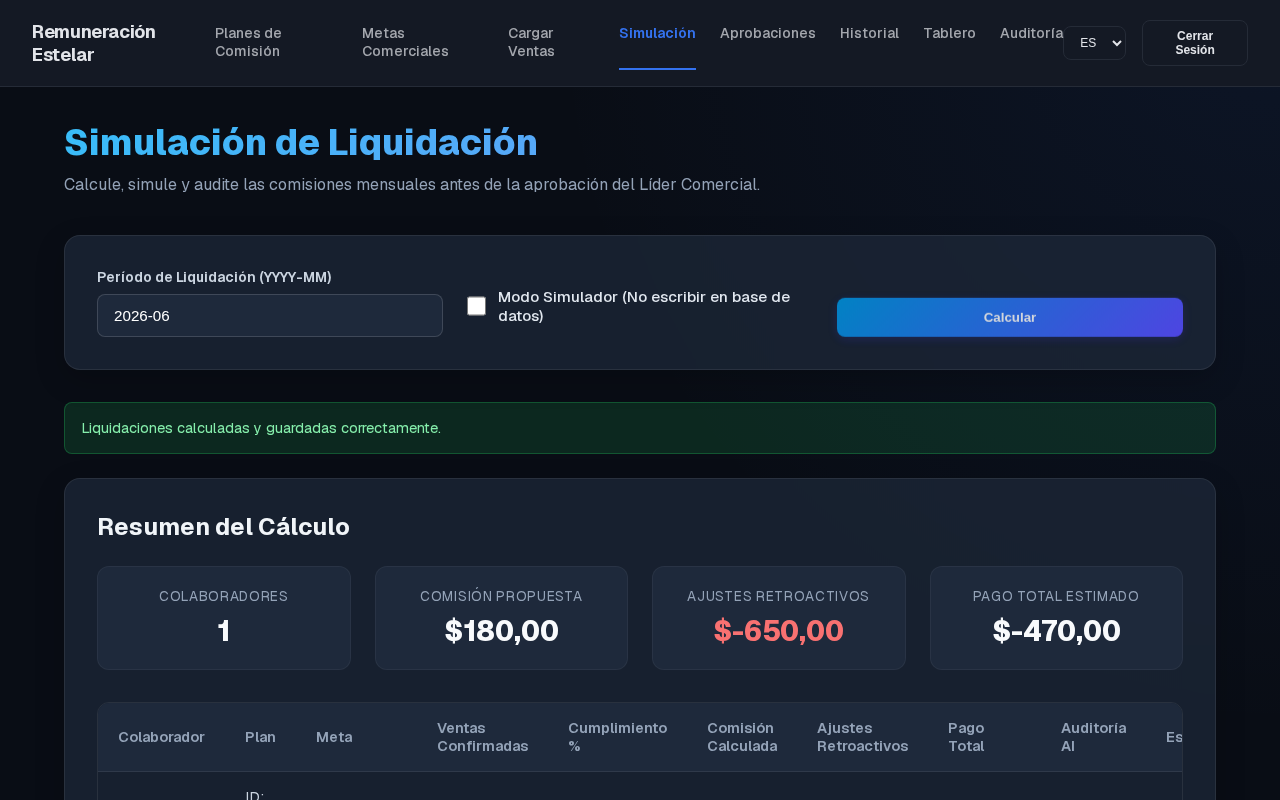
- Navigate to
/sales/simulation. - Select period
2026-06and check Simulate Only (Dry Run). - Click Procesar Liquidaciones.
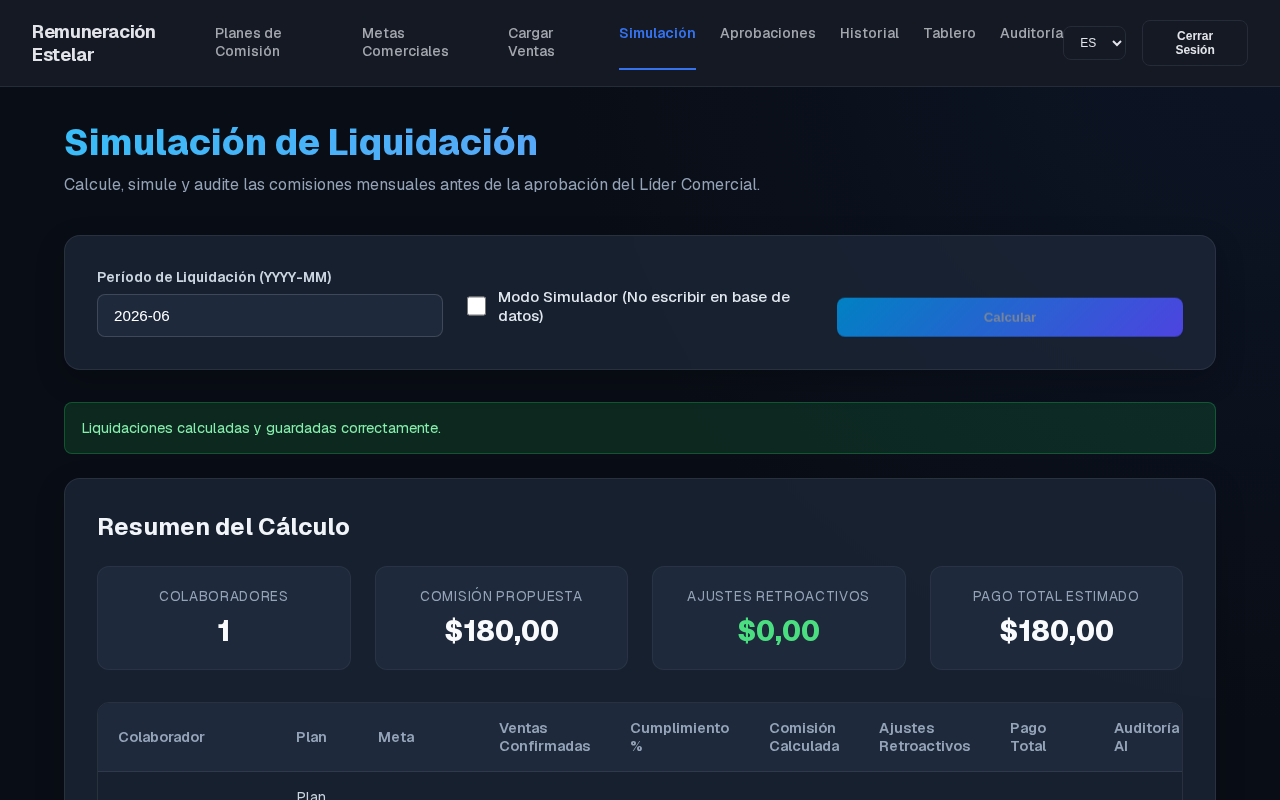
- The dashboard displays the grid: Collaborator, Plan Code, Goal, Confirmed Sales, Achievement Percentage, Commission, Retroactive Adjustments, and Final Payout.
- Look at the retroactive adjustment column:
- To demonstrate Retroactive Adjustments (PMS Clawbacks), the engine evaluated sales from previous months (
2026-05). - Because a previous sale was refunded/cancelled, the engine calculated a negative delta and injected it as a pending clawback, reducing the current month's payout.
- To demonstrate Retroactive Adjustments (PMS Clawbacks), the engine evaluated sales from previous months (
- Toggle Simulate Only off and run the calculation. The settlements are successfully stored as pending approvals in the DB.
- Settlement Simulation Screen
- PMS Clawback / Retroactive Adjustment Calculations
Step 5: Commercial Approvals & Bilingual Compliance Logs
- Log out, and log in as
lider_ctg(Caribe region leader). - Navigate to
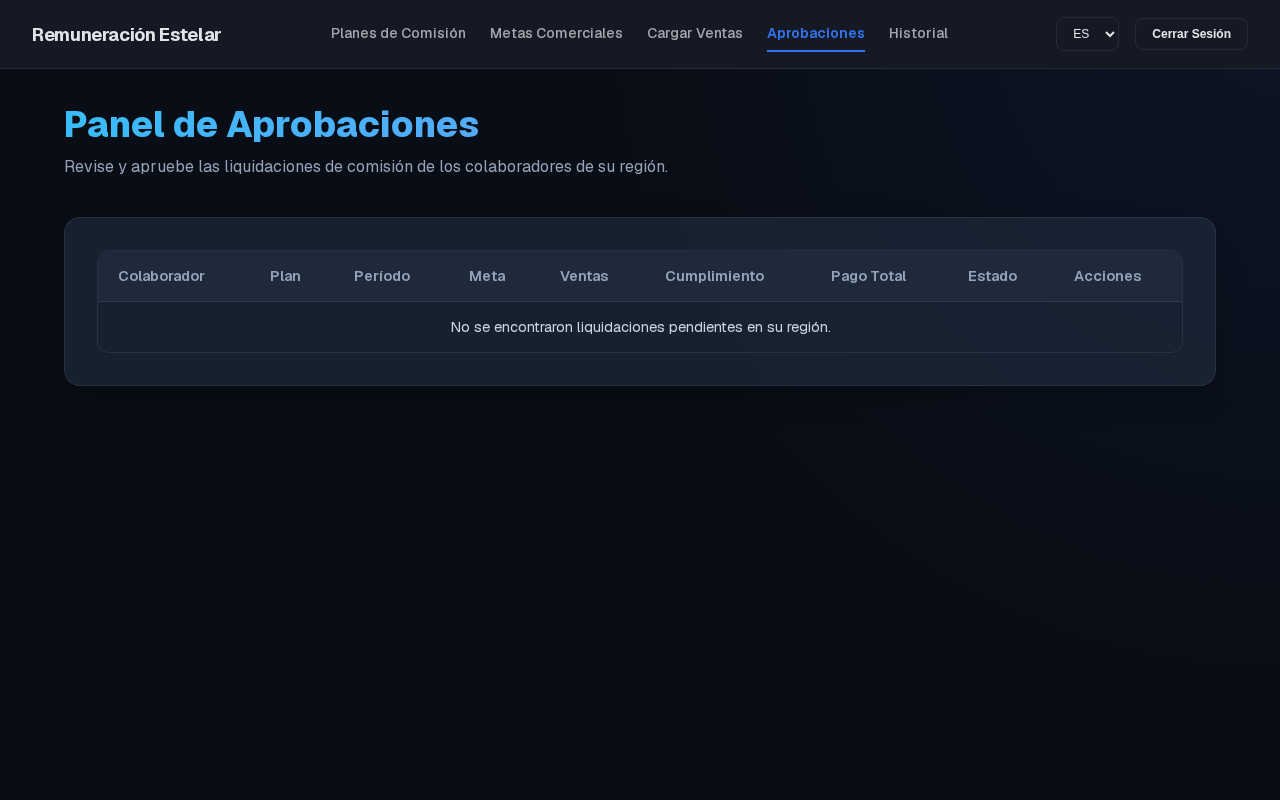
/settlements/approvals. - Notice that
lider_ctgonly sees pending settlements for collaborators in the Caribe region (Estelar Cartagena). Collaborators from Medellin (Antioquia) are filtered out at the database level by PostgreSQL RLS. - Select a settlement and click Aprobar.
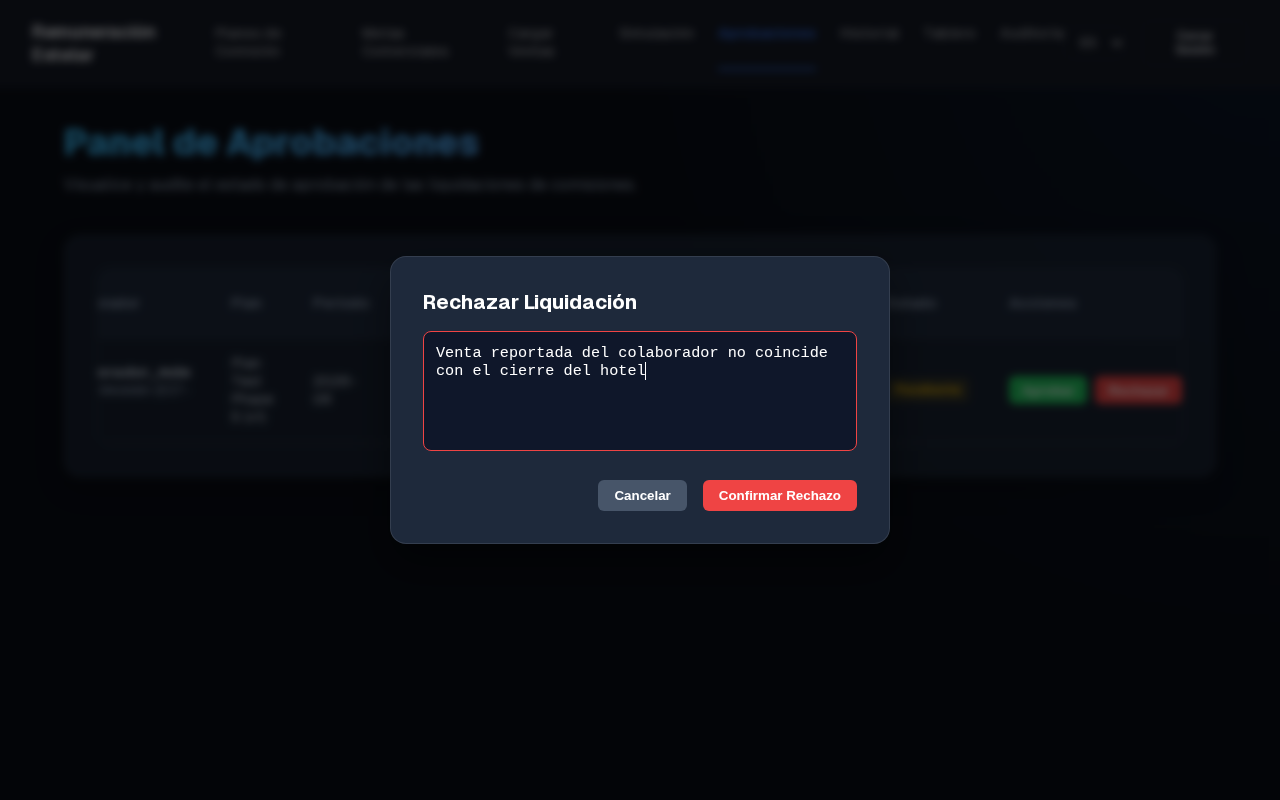
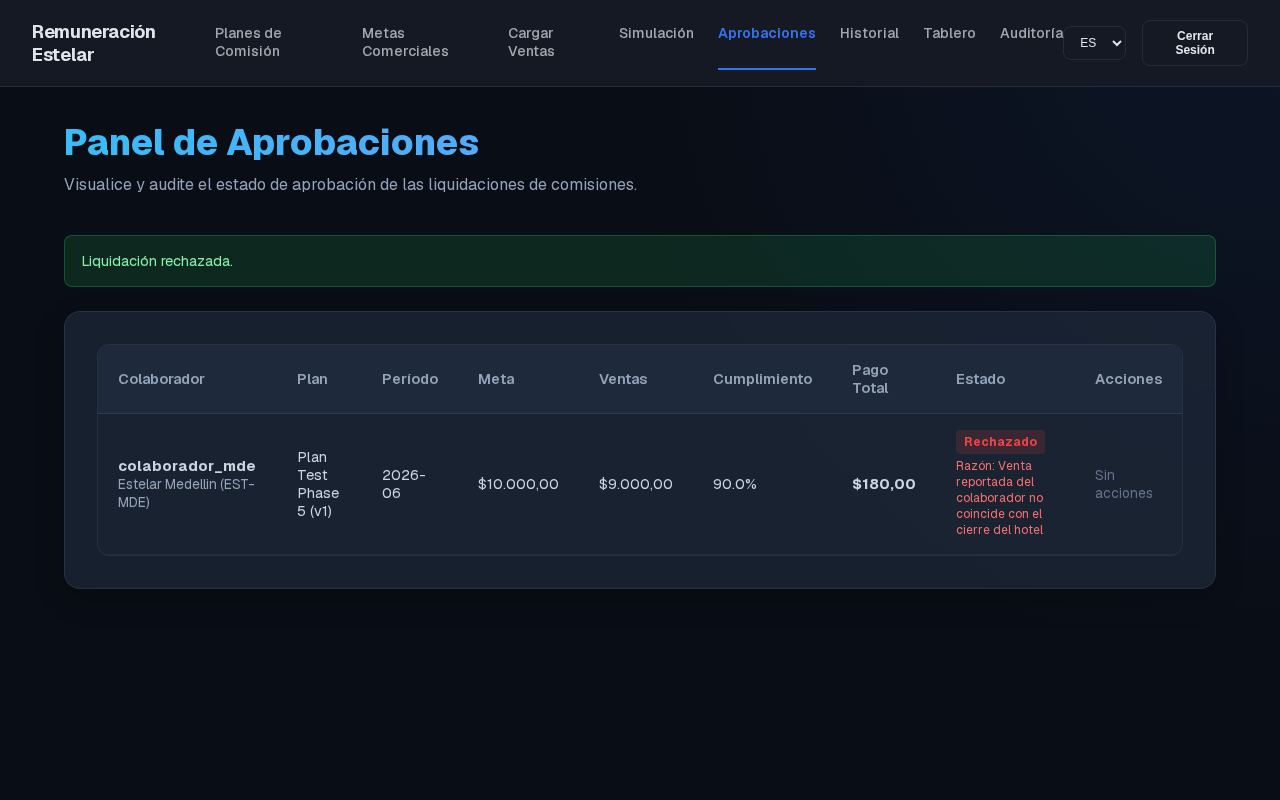
- Select another settlement and click Rechazar. The UI prompts for a mandatory rejection reason. Inputting a reason successfully saves it.
- Toggle the language switcher in the Header between Español and English. The entire dashboard updates instantly.
- Observe the Bilingual AI Audit Notes generated by the n8n compliance analysis: the description details are shown in English or Spanish depending on the active user locale.
- Regional Approvals Dashboard
- Mandatory Rejection Comment Modal
- Rejection State Persisted
5. Automated Verification Suite
To prove the robustness of the implementation during the standup, you can execute the test suites directly. These suites spin up isolated test environments and verify all functionalities.
Run the following commands in the workspace root:
# 1. Run PostgreSQL RLS isolation & audit immutability checks
rtk pnpm run test:rls

# 2. Run Next.js API & JWT Session RLS validation tests
rtk pnpm run test:auth-rls

# 3. Run E2E Headless Puppeteer UI verification tests (Builds app and tests user flows)
rtk pnpm run test:ui

# 4. Run real n8n Integration Webhook & Anomaly Check tests
rtk pnpm run test:n8n
Tip
Executing
rtk pnpm run testruns the complete test catalog sequentially and guarantees zero leaks or calculation failures across all modules.